




Skip to content

weavix Forms

Digitize Paperwork and Keep Critical Information Moving

weavix Digital Forms on Walt™ help teams replace paper-based workflows with fast digital submissions using voice, photos, video, or QR-based access from Walt, mobile, or web, so inspections, requests, reports, and observations are captured clearly, routed faster, and easier to act on.

Voice first

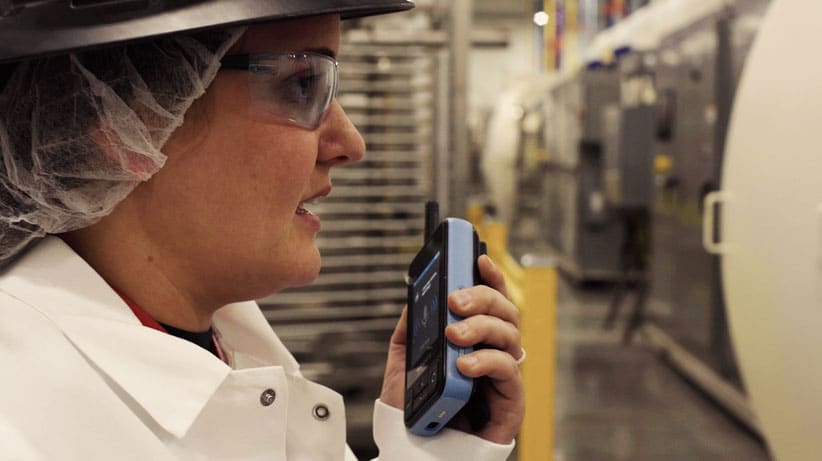
Workers can speak responses into forms using push-to-talk in the moment.

Built for the field

Forms open by QR code and work across Walt, mobile, and web.

Structured follow-through

Submissions stay organized and can trigger routing, tracking, and reporting.

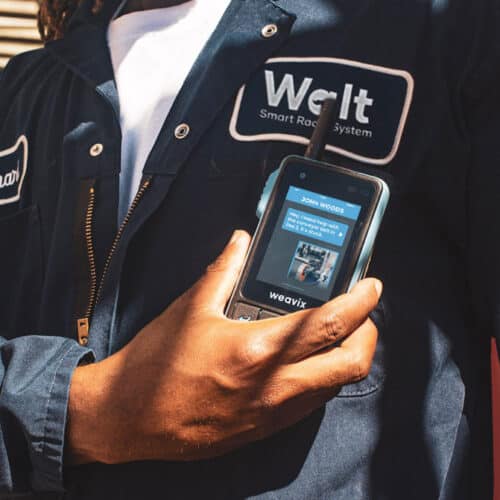
Forms feature on Walt Smart Radio

Field Input Should Be Easy to Capture and Easy to Act on

weavix Forms help teams collect structured input by voice, photo, video, and QR access, then move that submission forward with better routing and visibility.

weavix Forms QR code and picture enabled

Open the right form instantly

QR code, Walt, mobile, or web access from the point of work

Capture what happened clearly

Voice, photos, video, and structured answers add speed and context

Keep information moving

Structured submissions are easier to route, review, report on, and act on

Trusted By Frontline Organizations

certainteed
campbells
panasonic
Kraft
Hilton

Most Frontline Information Never Makes it Into Your Systems

Not because it does not matter, because submitting it is too cumbersome in the moment. Safety observations, equipment issues, inspections, and operational updates are often written on paper, remembered later, or never submitted at all.

  • Paper gets lost

    Forms filled out by hand are easy to delay, misplace, or leave unfinished when the team is moving fast.

  • message

    Critical updates stay unstructured

    Verbal updates, messy notes, and incomplete records make it harder to review what happened or act on it quickly.

  • people

    Manual follow-up slows response

    When teams have to chase the next step by memory or email, important issues move too slowly and accountability gets weaker.

Meet weavix Forms

weavix Forms help frontline teams capture structured input from the point of work using Walt, mobile, web, voice, photos, videos, and QR-based access.

This is not just digitization for its own sake. It is a faster way to capture the information operations teams actually depend on, without forcing workers back to paper, delayed data entry, or manual cleanup later.

Forms turn painful inspection forms, equipment forms, reports, and questionnaires into a field-ready process that is easier to complete, easier to review, and easier to act on.

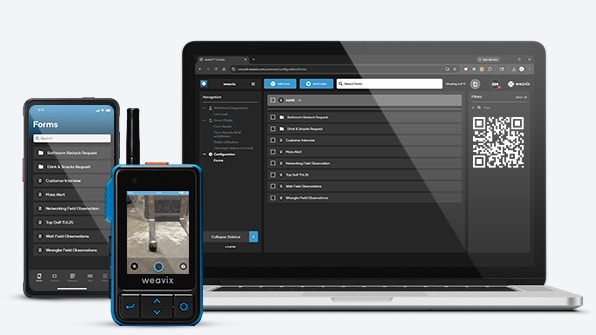
weavix Forms using Walt, mobile, web

Meet weavix Forms

How weavix Forms work

Replace paper-based submission with a faster field workflow that captures the right input, keeps it organized, and makes the next step easier to manage.

  • Step 1

    Build forms fast

    Admins create custom forms for inspections, equipment requests, reports, audits, onboarding, feedback, and more.

    ✅ Inspection checklists and compliance forms
    ✅ Maintenance tickets and equipment requests
    ✅ Feedback, onboarding, and surveys

  • Step 2

    Submit on the go

    Workers can speak responses into a form using push-to-talk, attach photos or videos, or scan a QR code to open the right form instantly.

    ✅ Voice input stays prominent for frontline speed
    ✅ Photo and video add proof and context
    ✅ QR access removes friction at the point of work

  • Step 3

    Route information faster

    Structured submissions move into the system, stay organized, and can trigger routing, tracking, reporting, or follow-up workflows.

    ✅ Leadership can review submissions later
    ✅ Workflow automation can trigger next steps
    ✅ Reporting and follow-up become easier to manage

Built For the Way Frontline Teams Actually Work

From push-to-talk input to QR-based access and leadership review later, weavix Forms are built for the realities of frontline work, not just office-based data entry.

  • Voice input with push-to-talk

    Let workers speak responses when typing is too slow or impractical.

  • Photo and video attachments

    Add proof and context to make submissions easier to understand and act on.

  • QR-code access

    Open the right form instantly in the field without extra searching or delay.

  • Walt compatibility

    Capture frontline information directly from the device workers already rely on.

  • Mobile app compatibility

    Support workers and managers who need form access away from fixed stations.

  • Web access

    Keep submissions visible and accessible beyond the point of capture.

  • group of people

    Workflow automation compatibility

    Structured submissions can trigger routing, tracking, and reporting after submission.

  • search

    Leadership visibility

    Submitted forms remain organized so leaders can review what was captured later.

More than a digital form

weavix Forms help teams capture better information in the moment and make that information more useful once it reaches the people responsible for acting on it.

Typing slows workers down in the field

Chemical plant worker using walkie talkie slang and smart radios during operations

When teams are moving fast, stopping to type long answers creates friction. weavix Forms let workers speak responses into a form using push-to-talk.

Operational result: faster capture with less submission friction in the moment.

Written descriptions often miss the real issue

How to Choose the Right Smart Radio||

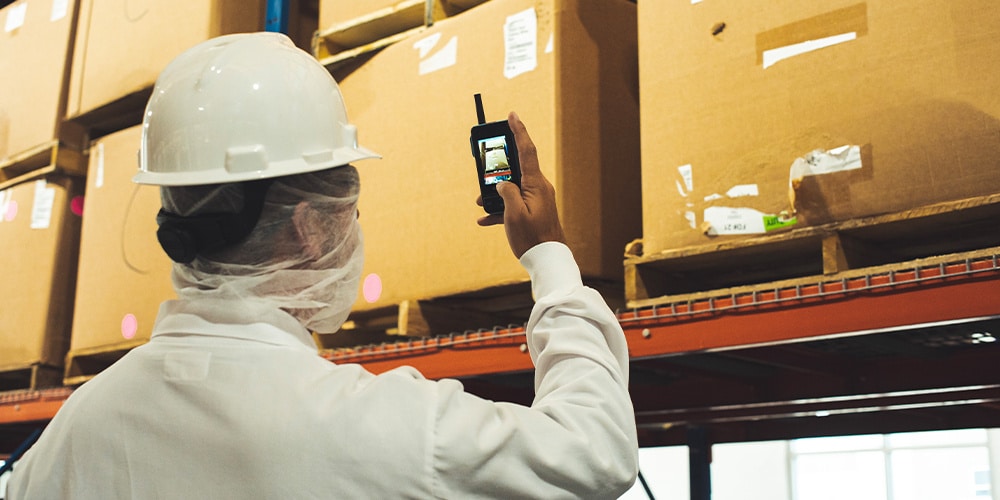
Paper forms and verbal updates can leave out important context. Forms can include photos and videos so teams see what the worker saw.

Operational result: clearer submissions and better follow-through with less back-and-forth.

Finding the right form wastes time

Walt Smart Radio scanning a QR code

Workers should not have to hunt through menus when the task is right in front of them. Forms can be turned into QR codes so the right workflow opens immediately.

Operational result: less friction at the point of work and faster form completion.

Frontline teams do not all work the same way

weavix Forms using Walt, mobile, web

Some teams are on Walt, some on mobile, and leadership may review from the web. Forms work across Walt, mobile, and web so the process stays connected.

Operational result: wider adoption and better continuity from submission to review.

Submitting a form is only the first step

Image showing automated workflows

If information sits in a queue, the operational problem is not solved. Forms can work with workflow automation to trigger routing, tracking, and reporting.

Operational result: structured data becomes easier to move forward and easier to act on.

Chemical plant worker using walkie talkie slang and smart radios during operations
How to Choose the Right Smart Radio||
Walt Smart Radio scanning a QR code
weavix Forms using Walt, mobile, web
Image showing automated workflows

What Teams Gain with weavix Forms

Better capture in the field leads to better records, clearer accountability, and stronger visibility once the information starts moving through the operation. weavix Forms help teams move from paper trails and verbal updates to structured frontline data that is easier to capture, easier to review, and easier to act on.

Forms on a Walt Smart Radio

Less paper and administrative burden

Reduce manual paperwork, delayed transcription, and the effort required to clean up field submissions later.

Better accountability and traceability

Keep structured records of what was submitted, what proof was attached, and what happened after submission.

More operational visibility

Give teams and leaders a clearer view of frontline issues, reports, requests, and observations once they are captured.

Where weavix Forms Make the Biggest Impact

Forms support the kinds of frontline workflows teams already depend on, from inspections and maintenance requests to safety reporting and workforce feedback.

  • search

    Inspections and compliance workflows

    Turn recurring checklists and inspection forms into a faster digital process that is easier to complete in the field.

    Operational benefit: better completion rates and less paper handling

  • tool

    Equipment and maintenance requests

    Capture issues clearly with structured fields, voice input, and photo context before they get lost in verbal follow-up.

    Operational benefit: clearer handoffs and faster issue review

  • report

    Reports and audits

    Digitize routine reporting so frontline updates are organized from the start instead of being reconstructed later.

    Operational benefit: stronger records and less administrative cleanup

  • wellness

    Safety reporting and near-miss documentation

    Use on-device forms to replace manual safety reporting processes and make near-miss documentation easier to submit and review.

    Operational benefit: faster safety reporting with stronger compliance support

  • chat

    Feedback and workforce input

    Give workers an easier way to share observations, concerns, and operational input before those details disappear.

    Operational benefit: more frontline visibility with less friction

  • checked

    Onboarding forms

    Standardize new-hire data capture and setup tasks without relying on disconnected paper packets.

    Operational benefit: more consistent process execution across teams

Built For Frontline Teams That Need Better Reporting and Follow-through

Teams use weavix Forms to replace manual reporting, reduce administrative burden, and improve visibility in workflows where documentation and follow-through matter.

  • Milwaukee Tool used on-device digital forms for safety reporting and near-miss documentation, helping replace manual processes, reduce administrative burden, and streamline compliance reporting.

Related Resources

  • Milwaukee tool frontline workers using the Walt Smart Radio

    Smart Radio Case Studies

    Innovations in frontline communications, from our clients' perspective.

    Case Studies
  • two way radio system

    The Comprehensive Smart Radio Guide

    A smart radio is a new category of industrial communication device, purpose-built for modern...

    Learn More
  • Walt Smart Radio Surpasses 2 Billion Messages

    Walt Smart Radio System Demo

    The Walt Smart Radio System is far more than just another two-way radio - it’s a frontline worker...

    Watch Video
  • Frustrated worker

    Every Plant Has Blind Spots. How Costly are Yours?

    Unreported delays, near-misses, and overlooked bottlenecks might seem small, but together stall...

    Learn More

Frequently Asked Questions

What are weavix Forms?

weavix Forms help teams digitize paper-based workflows and basic questionnaires so frontline information can be captured as structured data instead of getting lost in paper trails or delayed follow-up.

Can workers fill out forms using their voice?

Yes. Voice input is a core differentiator. Workers can speak responses into forms using push-to-talk, which is especially useful when typing is too slow in the field.

Can forms include photos or videos?

Yes. Forms can include photos and videos so submissions carry proof and operational context along with the structured response.

Can forms be accessed by QR code?

Yes. Forms can be turned into QR codes so workers can scan and open the right form immediately at the point of work.

Do forms work on Walt, mobile, and web?

Yes. Forms can be completed on Walt and mobile, then accessed later through the system by leadership and teams that need visibility.

Can forms trigger workflow automation?

Yes. Structured submissions can work with weavix workflow automation to support routing, tracking, reporting, and follow-up after the form is submitted.

What kind of forms can teams build?

Teams can build forms for inspections, equipment requests, reports, audits, maintenance tickets, feedback forms, onboarding forms, polls, surveys, and more.