

 Aaron Cohen
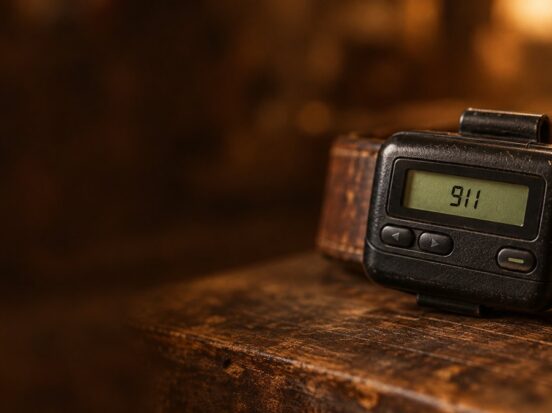
A pager, or beeper, is a small radio receiver that beeps or buzzes and shows a phone number or short message sent over a paging network. Pagers still work in hospitals and emergency services, but most teams have moved to phones or smart radios that let the person who gets the alert answer it, too. On the weavix platform, paging is built in: if someone doesn’t answer your message, you page them, and it keeps paging until they respond.
A call light comes on at the end of a hallway. The nurse who could take it is two rooms away, gloved up, with a pager on the hip. The pager buzzes. It can’t be read mid-task, and when it is, it says only that something needs attention somewhere. The nurse finishes, reads the screen, walks to the station and asks who is free. The resident who pressed the button has been waiting the whole time.
That is what a pager does well and where it stops. It tells you something happened. It doesn’t tell you enough to act, and it gives you no way to answer. This guide covers the whole story: what a pager is, how a page travels from the sender to your belt, the different kinds of pagers, the 1990s beeper craze, who still runs paging networks today, and what took the pager’s place on the job.
What is a pager?
A pager is a small wireless device that receives a short alert sent over a radio paging network and signals it with a beep, a vibration or a tone. Early pagers only beeped. Later ones showed a phone number to call back, and alphanumeric pagers showed short text messages. Most pagers are receive-only: the person carrying one reads the alert, then finds a phone to respond.
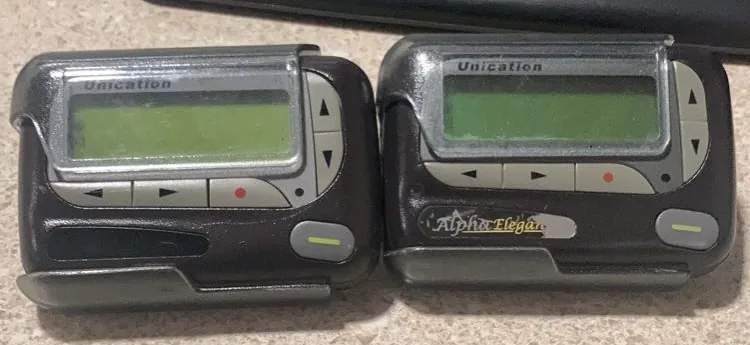
Photo: MohammedLombardia, via Wikimedia Commons. Public domain dedication (CC0 1.0). Resized for the web.
People also call a pager a beeper, after the sound it makes, or a bleeper. The words mean the same device. Hospitals and emergency services tend to say pager; people who remember the 1990s tend to say beeper.
A pager never works alone. It is one end of a paging system: the equipment that takes in a message, the transmitters that broadcast it, and the pagers that listen. Wikipedia’s pager article describes the range well: a paging system can be a restaurant’s single low-power transmitter or a nationwide network with thousands of high-power base stations.
How do pagers work?
Pagers work by listening for their own address on a radio frequency. Every pager on a network hears every message the nearby transmitters send, but each pager is programmed with a unique address, and it only wakes up when that address comes through. Here is the path of a single page, from the person who sends it to the person who reads it.
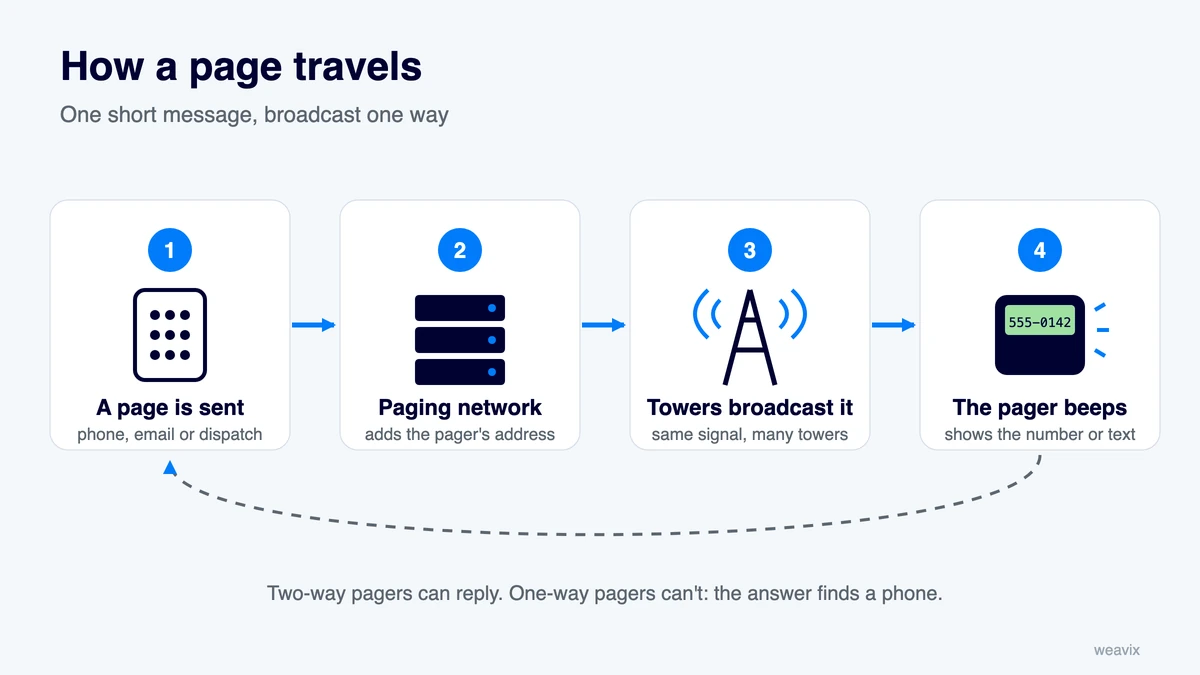
How a page travels, step by step
- The sender starts the page. In the classic version, someone dials the pager’s phone number, waits for the tone and keys in a callback number. Today a page is just as likely to come from a computer: an email address assigned to the pager, a web form, or software such as a hospital’s nurse call, alarm or on-call system connected straight to the paging terminal.
- The paging terminal builds the message. The paging company’s system looks up the pager’s unique address, adds the number or text, and encodes it in a paging protocol, a shared format the transmitter and pager both understand. Common ones include POCSAG and FLEX; two-way pagers usually use ReFLEX.
- The network hands it to the transmitters. The coded message is sent out to every transmitter that covers the pager’s service area. On modern wide-area networks this link often runs over satellite, so one message reaches many towers at the same moment.
- The transmitters broadcast it. Several towers send the same signal on the same channel at the same time, a design called simulcast. Their coverage overlaps, so a pager inside a building has more than one chance to catch a strong signal.
- The pager hears its address and alerts. Every pager on that frequency receives the broadcast, but only the one with the matching address stores the message, then beeps, vibrates or lights up and shows the number or text.
- The person responds, somewhere else. On a one-way pager, the trip ends there. The person reads the screen, then finds a phone, a radio or a colleague to act on it.
That last step is the one people forget. The paging network carries the message one way, and the answer has to find another route back.
Why paging signals reach places phones don’t
Paging was built to get one short message through, almost anywhere, and the design choices show it. According to Wikipedia, commercial paging transmitters typically radiate about 1,000 watts of effective power, while a mobile phone transmitter radiates around 0.6 watts per channel, so each paging tower covers a much wider area. In the United States, pagers typically receive the FLEX protocol in the 900 MHz band, which tends to reach further inside buildings than many cellular signals. Spok, which runs a paging network for hospitals, adds that paging antennas sit high off the ground and that its transmitter sites are laid out in a checkerboard pattern so their coverage overlaps.
Simulcast does the rest. Because several towers send the identical signal, a pager simply locks onto the strongest one it can hear. Wikipedia notes that this overlap, combined with satellite links to the towers, can make paging more reliable than cellular networks in some cases, including during natural and human-made disasters.
What the sender never knows
A one-way pager has no transmitter, so the network has no way to tell whether a message arrived. If the pager is switched off, out of range or buried in a pocket in a basement when the page goes out, the message is simply missed, and the sender is not told. Wikipedia notes that some paging companies in the mid-1990s added a service that let customers call in and hear their numeric pages read back, a workaround for exactly this gap. Two-way and response pagers close it properly by sending back a confirmation.
Types of pagers
Pagers range from simple buzzers to small two-way messaging devices. Wikipedia sorts them into eight categories; these are the ones most people will meet.
| Type | What it shows or does | Can it reply? | Where you see it |
|---|---|---|---|
| Tone-only (beeper) | Beeps, flashes or vibrates; no screen | No | Restaurant and guest pagers, early pagers |
| Voice/tone | Plays a short recorded voice message | No | Fire and emergency crews |
| Numeric | A callback number or number code, usually up to 10 digits | No | The classic 1990s beeper |
| Alphanumeric | Short text messages and icons | No | Hospitals, IT and on-call staff |
| Response (1.5-way) | Text, plus a pick-list of canned replies | Yes, limited | Healthcare teams |
| Two-way | Text with a small keyboard to reply, start and forward messages | Yes | Business users from the mid-1990s |
Numeric pagers
A numeric pager has a small screen that shows digits only. Most of the time that was the phone number to call back, but the screen could also carry agreed number codes, which is how the 1990s beeper language was born (more on that below).
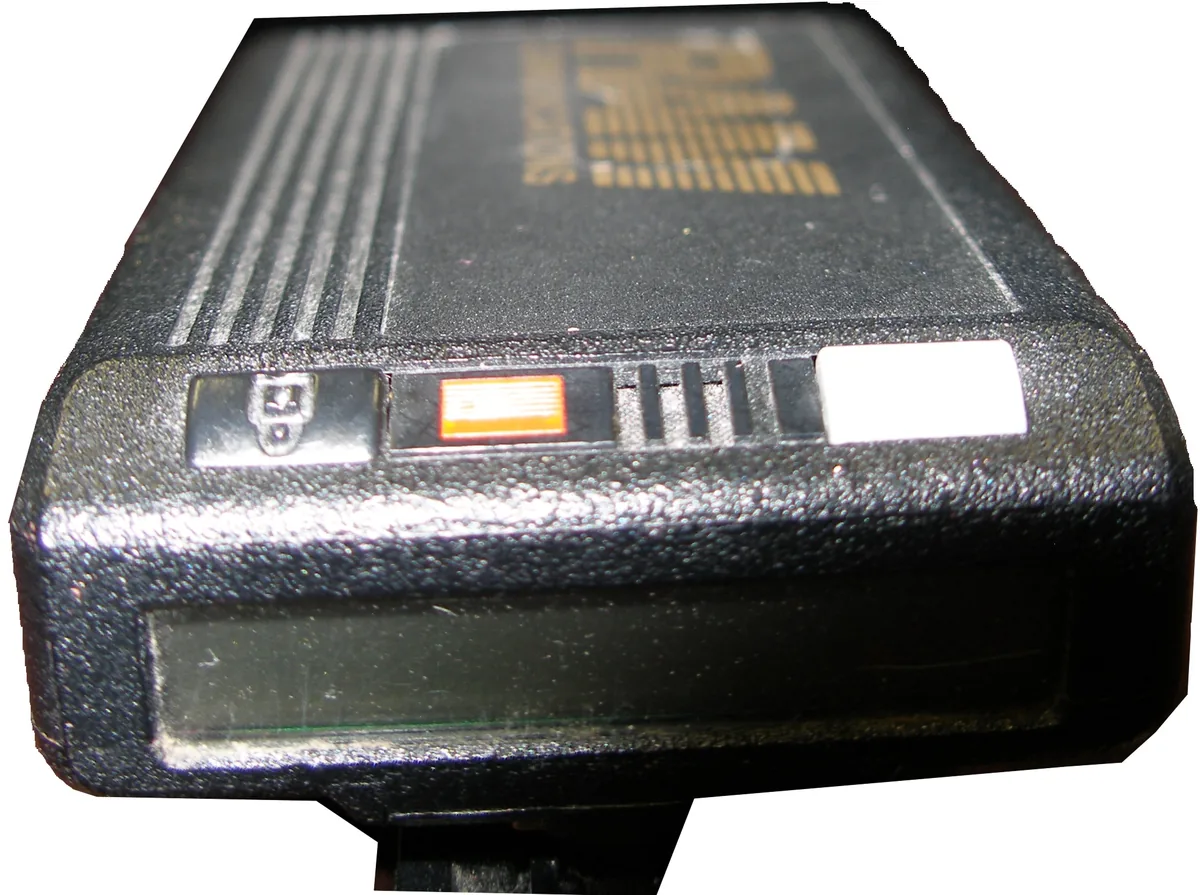
Photo: TheGADawg, via Wikimedia Commons. Released into the public domain by the photographer. Resized for the web.
Alphanumeric pagers
An alphanumeric pager shows letters as well as numbers, so a page can say who is calling and why: a room number, a patient name, an alarm type. These pages are usually typed in through email, a web form or a direct link from another system rather than keyed in on a phone.
Two-way and response pagers
A response pager adds a small transmitter, so the user can confirm a message was read or choose a reply from a short list. Wikipedia notes these are sometimes called 1.5-way or 1.7-way pagers. A full two-way pager adds a keyboard for free-form replies, and Wikipedia credits two-way pagers with giving rise to modern text and instant messaging. Even so, the reply is typed on a tiny keypad or chosen from canned answers, which is hard to do with gloves on or both hands busy.
On-site pagers: restaurant, guest and staff pagers
Not every pager rides a nationwide network. On-site paging runs inside one building or campus on its own low-power transmitter. Spok describes two kinds of paging networks: on-site systems for local, in-house notifications, and wide-area networks that use high-powered transmitters for regional or national coverage.
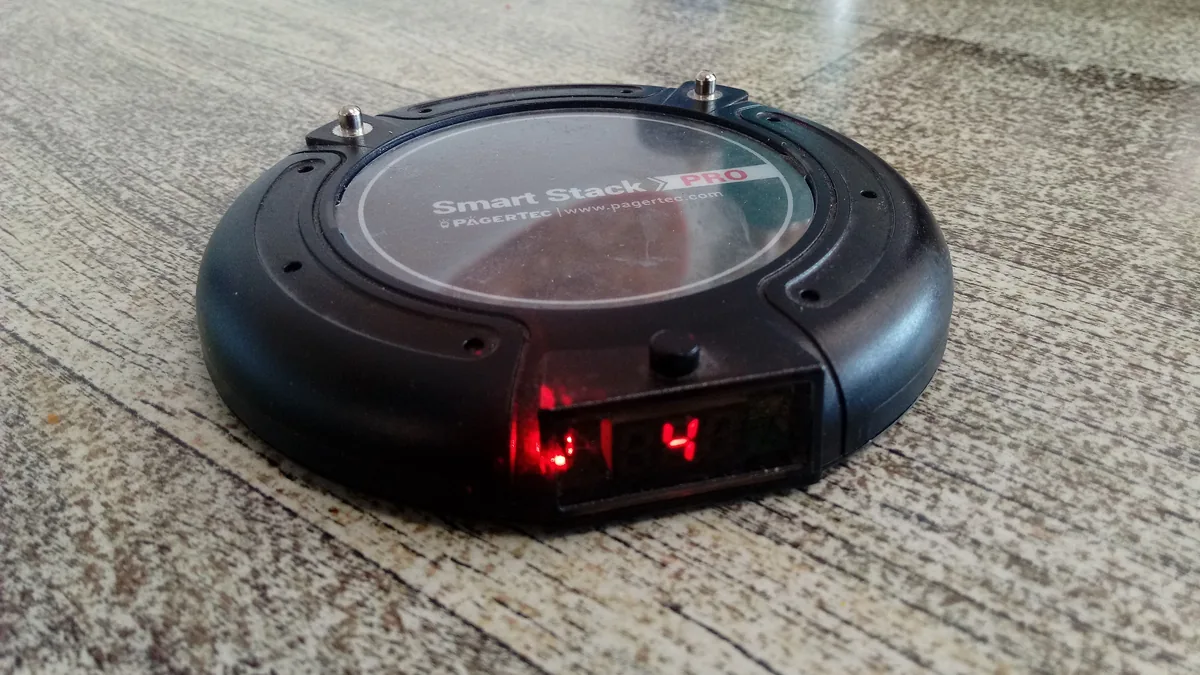
Photo: Donald Trung Quoc Don, via Wikimedia Commons. Licensed CC BY-SA 4.0. Resized for the web; no other changes.
- Restaurant and guest pagers: the coaster that buzzes and flashes when your table is ready is a tone-only pager on a short-range system. Wikipedia notes that most restaurant pagers fall into the tone-only category, and that small systems often build the keypad and transmitter into a single box.
- Staff pagers: hospitals, schools and plants run on-site systems to reach their own people. Wikipedia notes that hospitals also use on-site paging to call waiting patients when their appointment is due, so they can leave the waiting room without missing their turn.
A short history of the pager
The dates below follow Wikipedia’s history of the pager unless another source is named.
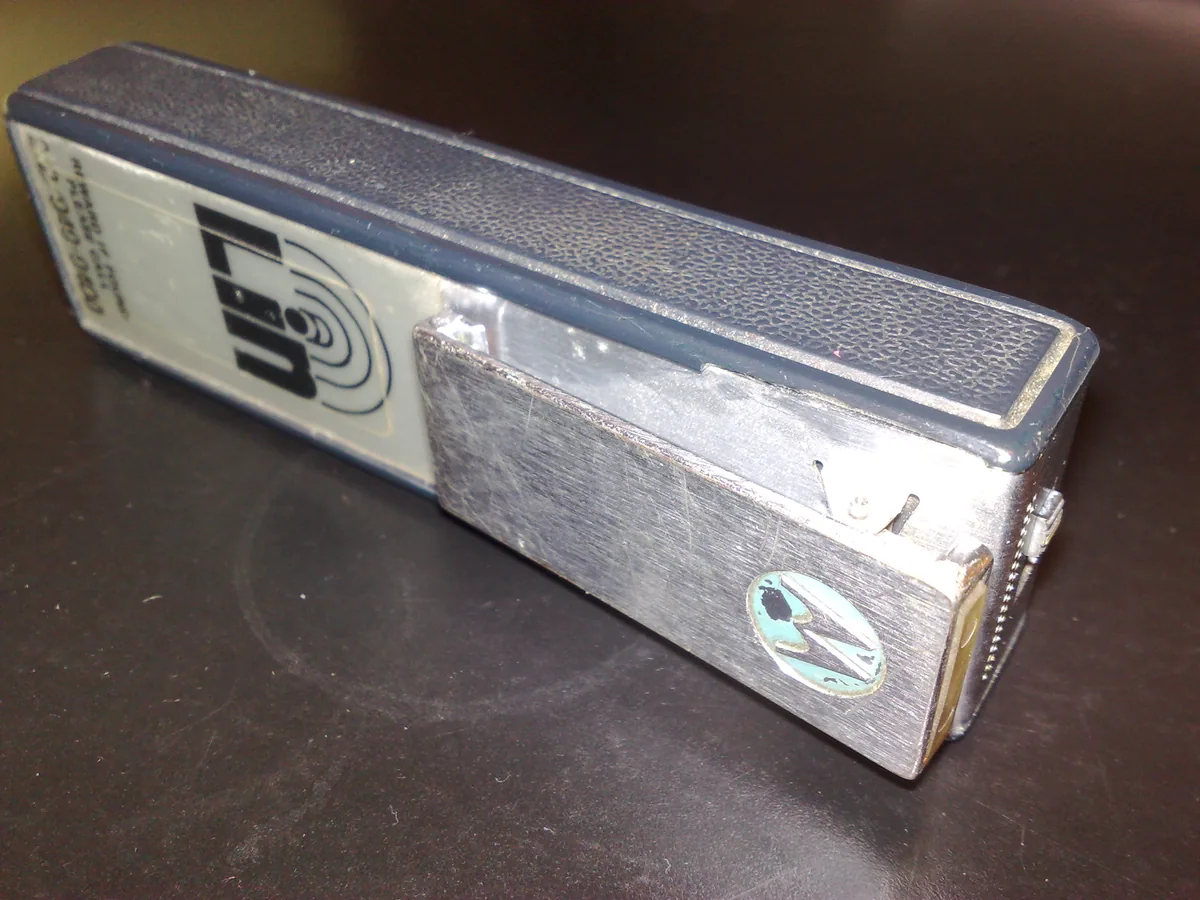
Photo: Eosrei, via Wikimedia Commons. Licensed CC BY-SA 3.0. Resized for the web; no other changes.
- 1949: Al Gross patents the first telephone pager system, intended for physicians.
- 1950: one of the first practical paging services launches for physicians in the New York City area. Doctors pay US$12 a month and carry a 200-gram receiver that works within about 40 kilometres of a single transmitter tower.
- 1960: John Francis Mitchell combines elements of Motorola’s walkie-talkie and car radio technology to create the first transistorized pager.
- 1962: the Bell System shows its Bellboy radio paging system at the Seattle World’s Fair, the first commercial system for personal paging. When it buzzed, the user found a telephone and called the service center to hear the message.
- Mid-1980s: tone and voice pagers become popular with emergency responders and professionals.
- 1990s: pagers go mainstream as a cheaper, smaller alternative to mobile phones. Mashable puts the number at 61 million pagers in use worldwide by 1994, and Wikipedia reports more than ten million active in Japan alone in 1996.
- 2001: Motorola announces the end of its new pager manufacturing, as most users outside specialist fields move to mobile phones with text messaging.
- 2003 to 2008: U.S. paging industry revenue falls from $6.2 billion to $2.1 billion.
- 2019: on 1 October, Japan’s last paging provider shuts down its radio signals.
What were pagers used for in the 90s?
In the 1990s, pagers were everyday gear for doctors, technicians, delivery drivers and salespeople, and they became a fashion item for teenagers. The economics explain why. Mashable notes that a mid-1990s cell phone could easily cost more than $500 and did little besides make calls, while a pager cost about $60 or less with a small monthly fee.
Using one took patience. Your beeper went off, showed a number, and you went looking for a pay phone or a landline to call it back. If the person had moved on by the time you reached them, you started over.
Pager codes: the first text messages
With no texting on most phones, people squeezed meaning into digits. A few codes stuck around in pop culture:
- 911: call me right away.
- 143: I love you (one letter in “I”, four in “love”, three in “you”).
- Callback number plus a code: who’s calling and why, squeezed into digits.
- 90*401773: “go home.” Mashable cites a 1997 Los Angeles Times story that found teens using it as a rough, squint-to-read spelling of the phrase.
Workplaces did the same thing more formally. Wikipedia describes pager codes as number codes that stand for pre-agreed messages, the same idea as a crew’s radio ten-codes.
Beepers in pop culture
The pager moved from the doctor’s belt into music and TV. Wikipedia lists A Tribe Called Quest’s “Skypager,” Sir Mix-A-Lot’s “Beepers” and Destiny’s Child’s “Bug a Boo” among the songs that name-checked pagers, and some schools banned them outright, as Mashable recalls. For a lot of people, the beeper was the first time they could be reached anywhere. That idea, reaching the person where the work is, never went away. The devices did.
Why the beeper faded
Phones caught up. Wikipedia traces the shift to falling phone prices, smaller handsets such as the Motorola StarTAC, wider cellular coverage and text messaging on digital phones. By the end of the 1990s most pager customers outside specialist fields had moved to mobile phones, and by early 2002 pager use in North America was falling fast.
Are pagers still used?
Yes. Pagers are still used, mainly where a dedicated network has to reach people inside large buildings or where cell service can’t be trusted:
- Hospitals and care facilities: clinicians and on-call staff still carry pagers for alerts and on-call notices. In Spok’s 2023 report, The State of Healthcare Communications, 81% of respondents said their organizations use pagers for secure communication, citing reliability as the main reason. Wikipedia reports that in 2017 the UK’s National Health Service was thought to use about 130,000 pagers, over 10% of those left in the world.
- Fire and emergency services: Wikipedia notes that volunteer firefighters, EMS paramedics and rescue squad members usually carry pagers that receive a special tone on the fire department’s radio frequency, and that first responders in rural areas with weak cellular coverage are often issued pagers.
- Restaurants and guest services: the coaster pager that buzzes when a table is ready is a short-range paging system.
- Hobbyists: Wikipedia and Mashable both point to birdwatchers in Britain and Ireland, who have used pager services to hear about rare bird sightings since 1991.
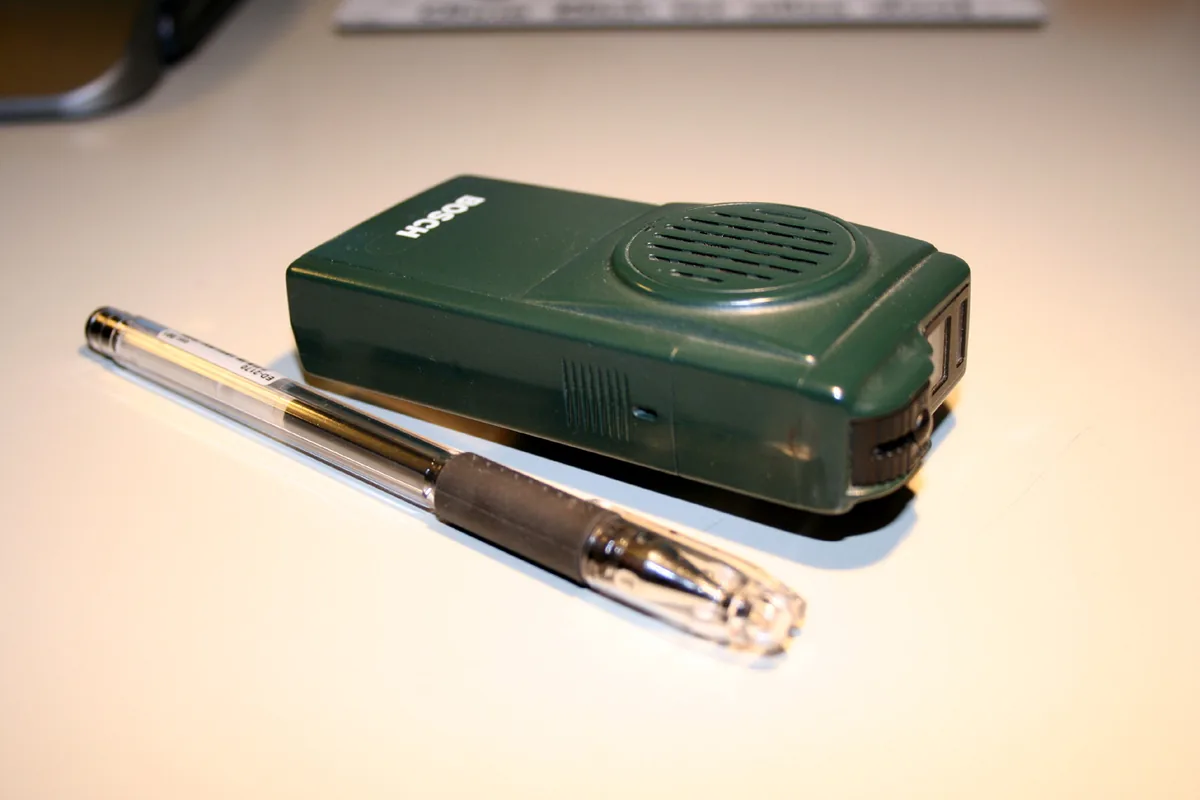
Photo: Wiki-observer, via Wikimedia Commons. Licensed CC BY-SA 2.5. Resized for the web; no other changes.
Who still runs paging networks?
Paging is run two ways. Commercial carriers sell it as a subscription over wide-area networks, and organizations run private, on-site systems for their own buildings. Wikipedia notes that private systems cover a smaller area more thoroughly and deliver faster, and that hospitals, IT departments and alarm companies often link their monitoring software straight to the paging system for reliability. Spok, for example, runs paging services for hospitals. In Canada, Wikipedia reports that Telus ended its pager service on 31 March 2015, while Bell, Rogers and PageNet said they would keep theirs.
Why hospitals and emergency crews keep pagers
- Coverage inside thick walls: high-power transmitters, overlapping simulcast towers and 900 MHz signals reach basements and concrete wings where cell service drops. Wikipedia notes paging companies will also install repeaters in a hospital that needs them.
- Survivability: paging rides its own network, so it can keep working when cellular networks are overloaded. Wikipedia cites the 2005 London bombings, when emergency radio systems were overloaded, as a case where pagers, which can show a message without transmitting a reply and work on very weak signals, still had a role.
- Battery life and simplicity: a pager does very little, so Mashable notes its battery lasts longer than a phone’s. There is nothing to unlock, update or charge every shift.
- Security options: Spok says some modern pagers encrypt messages with AES-128, each device with its own key. And because a one-way pager never transmits, Wikipedia notes its location cannot be tracked.
Where pagers fall short
The same design has costs. A one-way page can’t confirm it was read. The person who gets it has to stop, read and find another way to answer. Wikipedia notes that because a page is broadcast from every transmitter in the service area, anyone in that area could intercept it, and that in 2026 NHS Blood and Transplant and other trusts were reported to still be using pagers, and that there had been data security breaches. Cost adds up too: Wikipedia puts the NHS’s pager bill at £6.6 million a year in 2017, and in February 2019 the health secretary announced plans to phase them out.
Paging survives because it is dependable and simple. What it doesn’t do is carry the answer back. The nurse in the hallway still has to stop, read and find a phone.
See how a smart radio carries the alert and the answer
What replaced the pager?
For most people, the cell phone replaced the pager: a text message does everything a pager did, and the phone can answer it. At work, the answer is less tidy. Personal phones are locked, in pockets and against policy on many plant floors and care units. Hospitals moved some paging to secure messaging apps on smartphones, which still means stopping to unlock a screen. Two-way radios let teams talk, but leave no record of what was said. Smart radios combine the two: an alert is spoken out loud, the person who hears it can answer on push-to-talk, and the conversation is kept.
| Pager | Personal phone | Smart radio | |
|---|---|---|---|
| Alert reaches a busy worker | Must stop and read | Must unlock and read | Spoken out loud |
| Answer or ask for help | Find a phone | Call or text one person | Push to talk to the team |
| No answer? | Send it again and hope | Call or text again | Page them; it keeps paging until they respond |
| Know the message was received | No (one-way) | Sometimes (read receipts) | Alerts can show who received and confirmed |
| Record of what was said | None | Scattered | Message history |
| Works hands-free | No | No | Push to talk |
| Crew speaks different languages | No help | Separate app | Real-time translation |
Keep the pager or replace it? Five questions for teams still paging
None of this means every pager should go tomorrow. If your team still carries them, these questions sort out where paging still earns its place and where it is slowing people down.
- Does the person who gets the alert usually need to reply? If most pages end with someone hunting for a phone, the pager is only doing half the job.
- Do you know who saw it? If a missed page would go unnoticed until someone complains, you need a way to see who received and confirmed an alert.
- Are hands busy or gloved when the alert lands? A screen that has to be read mid-task gets read late. A spoken alert doesn’t wait for clean hands.
- Does anyone need a record later? For handoffs, safety follow-up and audits, a one-way beep leaves nothing to look back on.
- Where does your signal actually fail? Walk the basements, stairwells and far corners. Whatever replaces a pager has to work where your people are, on the networks the site already has.
Paging didn’t go away. It moved into the radio.
The pager got one thing right: when you need one specific person, you page them. What it never did was tell you whether they got it, or keep trying when they didn’t.
The weavix platform keeps the page and fixes that gap. Paging is built in. If you message someone on Walt and don’t hear back, you can page them, and the page keeps going until they respond. You aren’t left wondering whether it was seen, and you don’t have to walk the floor to find them.
It works in practice. At Tarrier Foods, pages on Walt get a response 99% of the time, across 104 pages in a single week. At Alphia, department heads call after-hours paging “fantastic.”

From beeper to answer: what changes when the alert talks back
A pager tells you to go find out what’s wrong. The person who sent it often already knows: the room number, who is free, what is needed. That knowledge just doesn’t travel with the beep.
At SMP Health, a care facility that connected its nurse call system to the Walt Smart Radio System, nurse call response improved to about 5 to 8 minutes in the first week, down from a range of 7 to 25. Overhead paging was eliminated. The nursing staff said it comes down to one thing: nobody has to stop and read a pager.
Walt, the smart radio by weavix, does what a pager did and keeps going: push-to-talk voice, pictures and video, messages and alerts in each worker’s own language (26+ languages), and an SOS button that sends the worker’s ID and location. Every voice message is transcribed and kept in a searchable history, so the next shift can see what was said. It runs on Wi-Fi and cellular networks, so there is no FCC radio license to manage. For a team that grew up on beepers, it is a direct line to your frontline that talks back. If you remember the push-to-talk chirp of the old Nextel phones, that story is here, and so is the full history of the walkie-talkie. For care teams weighing pagers against radios, see two-way radios for healthcare.
Frequently asked questions
What is a pager?
A pager is a small wireless receiver that beeps, buzzes or vibrates when someone sends it a page over a radio paging network. Basic pagers show a callback number; alphanumeric pagers show short text. Most pagers only receive, so the person carrying one reads the alert, then finds a phone or radio to respond.
Is a pager the same as a beeper?
Yes. Beeper is the everyday name for a pager, taken from the beep it makes when a page arrives. Both words describe the same small receiver that shows a number or short message sent over a paging network. People still use both words today, though hospitals and emergency services usually say pager.
Do pagers still exist?
Yes. Pagers are still sold and used, mostly in hospitals, care facilities, and fire and emergency services, where a dedicated paging network reaches people inside large buildings. Restaurants also use short-range guest pagers. Many workplaces have replaced pagers with phones or smart radios so the person who receives an alert can answer it.
Is a pager like a phone?
Not really. A pager receives a short alert and shows a number or message, but most pagers cannot make calls or send replies. A phone can call, text and answer. Two-way pagers can send short canned replies, and smart radios add push-to-talk voice so a worker can answer an alert without stopping.
What does 143 mean on a pager?
On a pager, 143 means “I love you.” The code counts the letters in each word: one in “I,” four in “love” and three in “you.” Numeric pagers could only show digits, so people sent short number codes like 143, or 911 to mean “call me right away.”
Start here
Pagers made workers reachable. The next step is making sure what they know reaches the people who can act on it. See how the Walt Smart Radio System would work for your team: request a demo.
